Quick Tip 8: Graduated Neutral Density Filters – An Essential
From the archive
This article was originally published in 2009. Some photographs from this period were prepared at lower resolutions for the web and may appear softer or pixelated on modern screens.
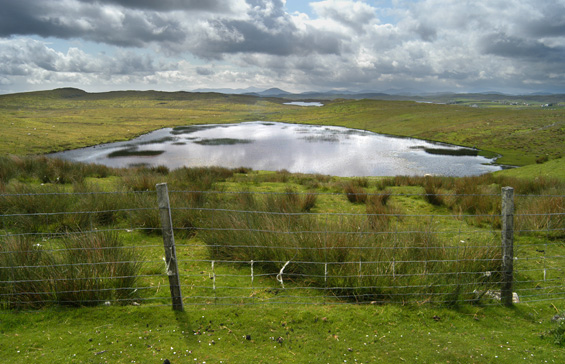
Sky held with a 0.6 Graduated Neutral Density filter
One of the most difficult things in photography is dealing with the wide exposure range that exists in many scenes.

Holding foreground information becomes far easier - Graduated ND 0.6
Often to expose the foreground correctly means sacrificing detail in the sky. By simply using a graduated neutral density filter you can maintain foreground detail and hold the sky for a balanced and much more accurate rendition of the landscape.
Simply expose for the foreground and bring in the neutral density filter to cover the sky area. A soft gradation is better for landscape work. I use the Lee Filter System and carry three soft grads; 0.3 – 0.6 and 0.9. The 0.3 giving a one stop reduction, the 0.6 a two stop reduction and the 0.9 a three stop reduction. With step up rings for various lenses you are only ever buying one set of filters for all your equipment!
These filters will make more difference to your work than any amount of time messing around in Photoshop. You can also use them as full ND filters and start experimenting with long time exposures. They’re the first on any list after you’ve bought the camera!

ND's work just as well for heavier skies - 0.6 used here

ND 0.6 Grad

Detail is held in all parts of the image - 0.6

Holding skies when the sun is within the image becomes possible - 0.9

Used as a full ND (without the grad) long exposures are possible - 0.9 - 13 seconds f29
0 comments
something to add to birthday wish list, nice set of examples. i have read that CS4 has digital versions in the new camera raw plugin.